System Information
The Tools/TilePlus/System Info menu command opens UIElements inspector that has a multitude of instrumented data from various parts of the TilePlus system.
Please note that this window refreshes constantly, even in Play mode, but only when the window is visisble. Depending on what's being displayed it can even slow down your system in Play mode.
The image below shows a typical appearance:
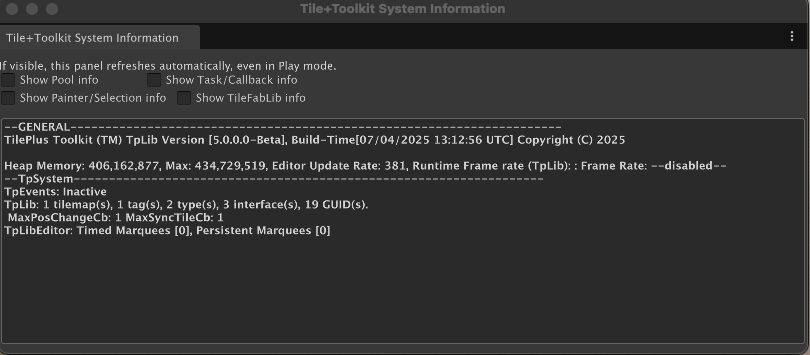
Each checkbox controls the display of additional information:
- Show Pool Info: status and size of TpLib internal pools.
- Show Task/Callback Info: status of TpLib's internal event/callback queues and what sort of Update (Awaitable or PlayerLoop) is in use.
- When checked, two more buttons appear:
- Details: a complete list of all of the running tasks. If there are a lot of them it can affect editor performance.
- Dump Tasks: the same information as Details is snapshotted and saved to a file. Works even if the Details checkbox is unchecked.
- When checked, two more buttons appear:
- Show Painter/Selection Info: internal state of TilePlus Painter.
- Show TileFabLib Info: internal state of the Layout system.
The info value in the task details section is set by the caller to TpLib.DelayedCallback. In this example, these info values have INV_REP prepended which means that the timer function InvokeRepeatingUntil was used. See the TpLib section for more info (near the bottom of the page).