
Tweening
Purpose
-
A playground to experiment with the tweener
-
Five scenes
- Basic Tween Types
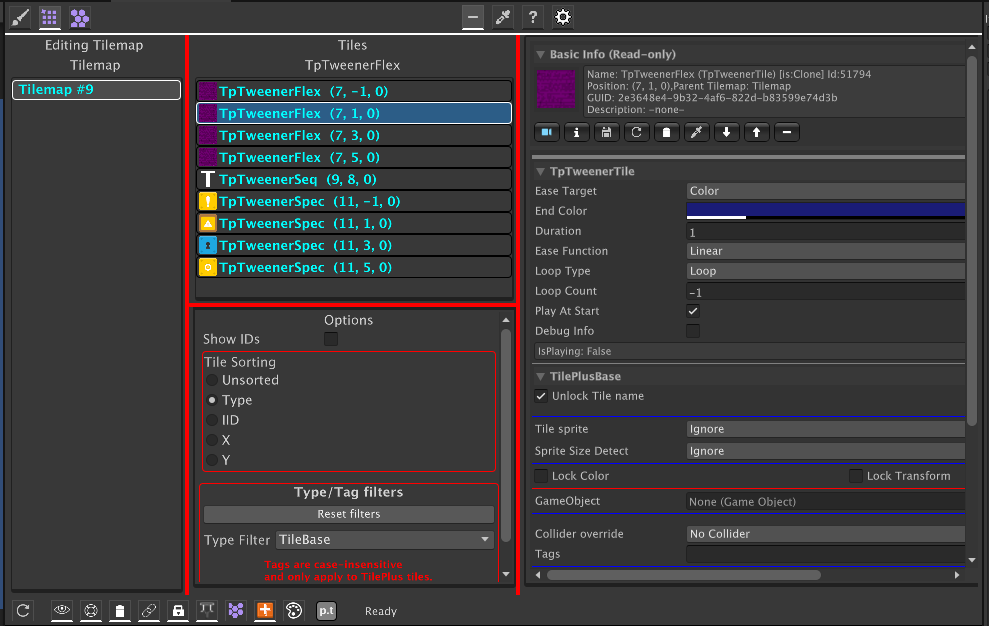
- The image shows Painter displaying a TweenerFlex tile.
- TweenerFlex tiles expose every possible parameter for you to play with.
- The visible fields change as you select different tween varieties.
- This is done entirely with TPT attributes!
- The visible fields change as you select different tween varieties.
- The other tiles use an asset to set up the tweens.
- Please read the tweener documentation or it may be really confusing!
- GameObjectExamples: Several examples of GameObject tweens
- Bezier Tween: animate a G.O. on a Bezier path
- GoSequence: play a sequence of tweens on a G.O. from an asset.
- SimpleGameObjTween: as it says
- Spline Tween : shows how to use a Unity spline to animate a G.O. position
- Note: just an example, not an alternative to the various spline components from Unity.
- Requires the Splines package
TextFondSize:TextFontSize: How to tween something with a simplefloat
- Basic Tween Types
- MatrixTweenPlayground
- Here are four TweenerFlex tiles preset with a few different types of tweens.
- MoreStrangeTweens
- Illustrates some interesting things you can do with Matrix tweens using the three types of tweener tiles.
- StressTest
- This runs almost 400 sequences and several color tweens simultaneously. Use the TPT SysInfo window with 'Show Tweener...' checked and you can observe the frame rate.
- You can also use the Services Inspector or Tween Monitor to show the tweener status. Note however that it can slow down execution: try it with the Stress Test.