Nomenclature and Shortcuts
Nomenclature
Shortcut Viewer
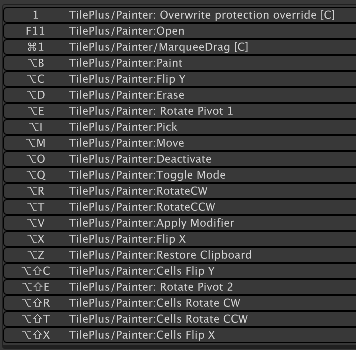
The Tileplus/Shortcut Viewer menu item displays a dockable window containing the Painter shortcuts. It’s handy when learning.
Changing Shortcuts
If you use the Shortcut Manager to change any of the Painter shortcuts, use the Refresh button at the lower-left corner of the Painter window to refresh the Action button shortcut hints seen when viewing their Tooltips.
Painter Modifiers
The TilePlus/Tile+Painter Modifiers menu item displays a window where you can create and edit custom transforms to be applied to single tiles or to groups of tiles both before and after placing the tiles on a Tilemap. See “Custom Modifiers.”
Default Shortcuts
PC
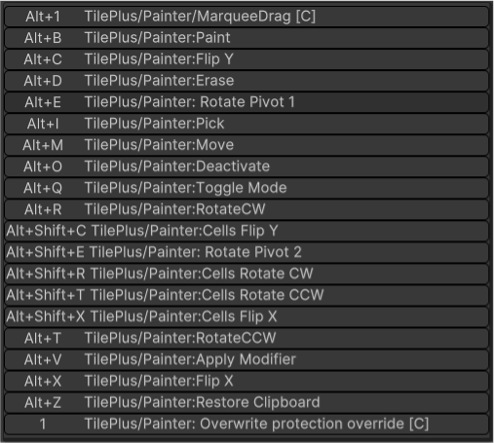
MAC